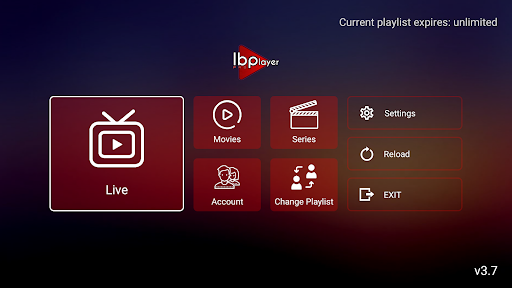
IBO Player Pro is the fastest-growing IPTV app in the UK. Learn how to set it up on your Smart TV, Firestick, or Android device with Xtream Codes.
What Is IBO Player Pro?
IBO Player Pro is one of the fastest-growing IPTV applications in the UK. It is available directly from the Samsung TV App Store (Tizen), LG Content Store (WebOS), Amazon Appstore, Google Play Store, and Apple App Store — making it the most widely compatible IPTV app on the market. No sideloading required on any platform. The app supports Xtream Codes API, M3U playlists, and built-in EPG.
Setup on Samsung Smart TV
Open the Samsung App Store on your TV and search for IBO Player Pro. Install and open the app. Select Add Playlist, then choose Xtream Codes API. Enter your XiroTV server URL, username, and password from your welcome email. Tap Save and wait 30 to 60 seconds for channels to load. The app organises channels by category automatically — navigate to UK Sports for all sports channels.
Setup on Amazon Firestick
Search for IBO Player in the Amazon Appstore and install it directly — no sideloading needed. Open the app, select Add Playlist, choose Xtream Codes API, and enter your XiroTV credentials. The interface is identical across all platforms, so once you learn it on one device, you can set it up on any other device in seconds.
Setup on iPhone and iPad
Download IBO Player Pro from the Apple App Store. Open the app and tap Add Playlist. Select Xtream Codes API and enter your credentials. The iOS version supports AirPlay, Picture-in-Picture, and background audio. You can stream to your Apple TV or any AirPlay 2 compatible smart TV directly from the app.
IBO Player Pro vs TiviMate
IBO Player Pro is the best choice for users who want a simple, no-fuss setup across multiple device types — especially Smart TVs where TiviMate is not available. TiviMate is superior for power users on Firestick and Android TV who want multi-screen, recording, and advanced EPG features. Many XiroTV customers use both — IBO Player on their TV and TiviMate on their Firestick.